Datamap-Versions
Overview
A new version of a DataMap system is created whenever any update is made to the system. The different versions can be compared with each other to identify what changes have been made and where they apply.
A new DataMap version is created whenever any change is made to the DataMap system, including adding or removing dataflows and relations.
Whenever a new survey answer has been mapped to the Datamap system, a new version of the system gets created.
Whenever a new system has been applied to a Retention Label, a new version of the system is created.
Whenever additions/edits are made via the Uploads feature.
Whenever additions/edits are made on the System Details page of the through the UI.
Whenever additions/edits are made via the Bulk Update feature.
Whenever Systems are added to a DSAR flow (if the Flow has been mapped to a DSAR Configuration) during the In Process phase configuration on the DSAR Configuration page.
When adding Risk Register, a newer version is created by DataMap.
1. Logging In
- Login to the Data Governance Tool by entering your credentials.
2. Navigating to Datamap Module
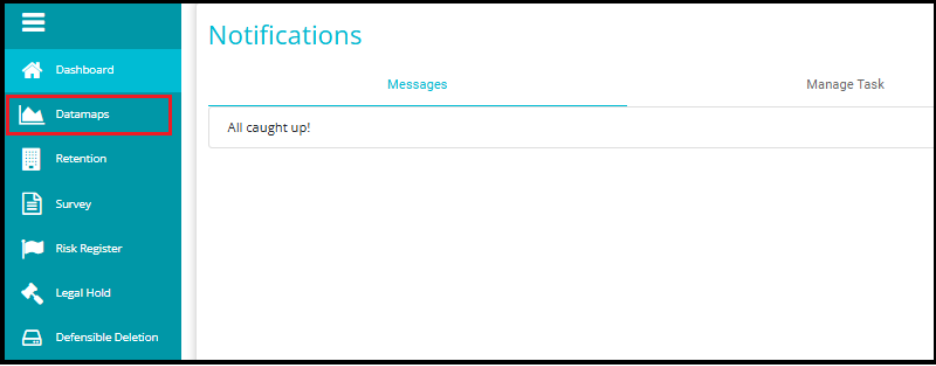
Click on the hamburger icon
 on the top left corner.
 Click on 'Datamap module' from the menu.
3. Click on the Systems Tab
Inside the DataMap module, go to the Systems tab.
This tab displays all the systems available in your environment.
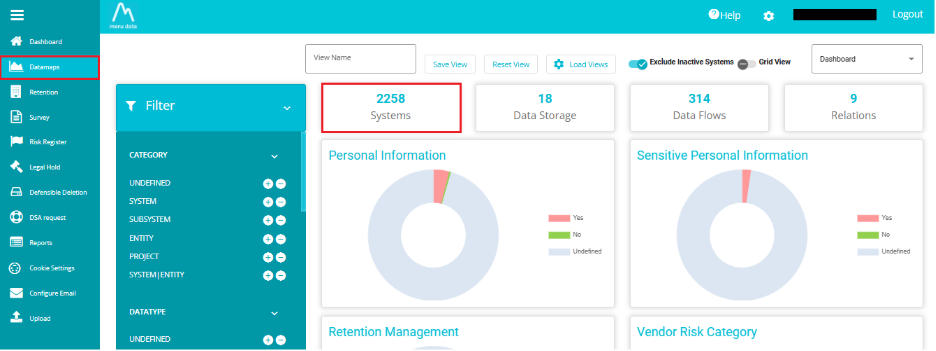
- From the Datamap page, click on the Datamap system name for which you want to view Versions.
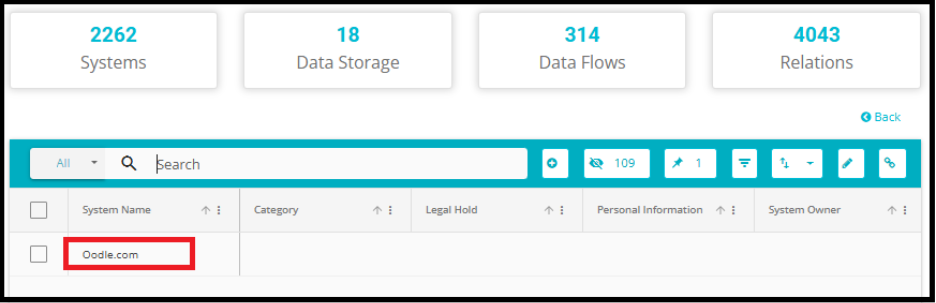
- From the System Details tab, navigate to the Versions tab.

Here all previous versions and the current version of the DataMap will be displayed. The fields and their values from the different versions are displayed next to each other to facilitate easy identification of changes between the versions.
Note: The latest or current version is the version with the highest numerical value (V-1) in the example below. This version shows all the current data.
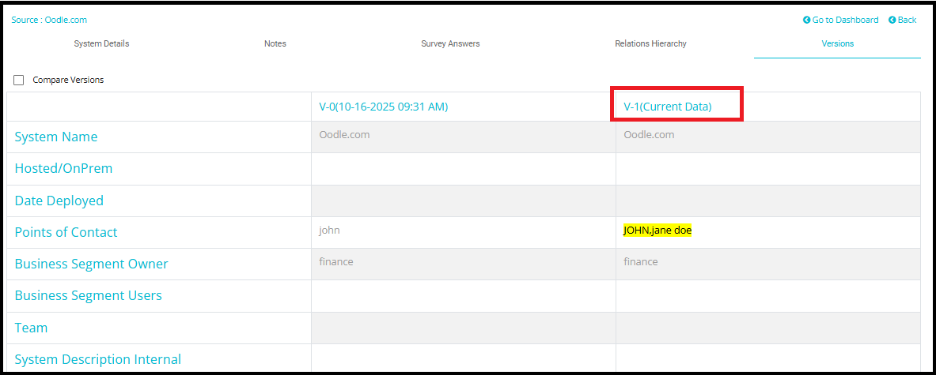
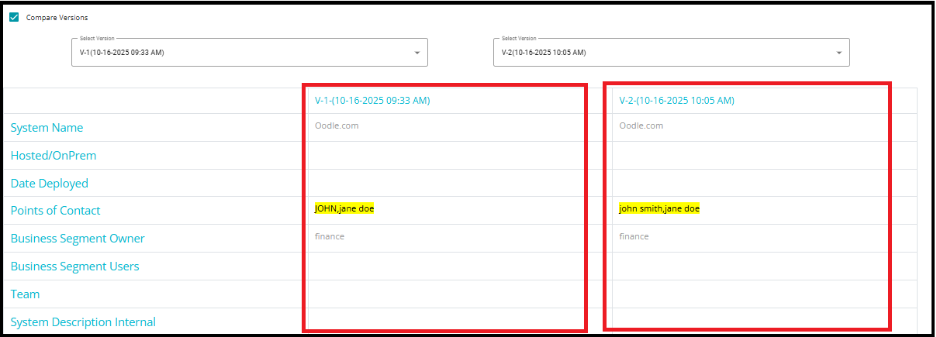
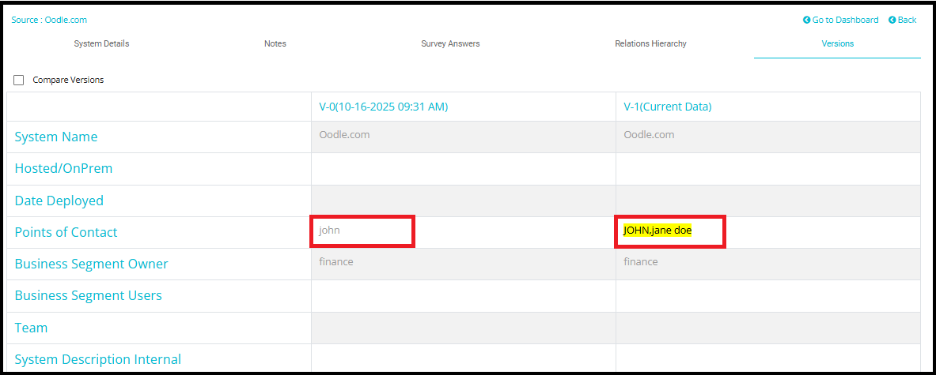
In the example below, changes have been made to the Point of Contact field.
Version 0 (V-0): Initial State
Value: john
This is the original entry in the Point of Contact field. No other contacts were listed.
Version 1 (V-1): Appended Value
Value: john, jane doe
A new contact (jane doe) was added to the existing value. Since this was an append operation, both names are retained.
Version 2 (V-2): Replaced Value
Value: john smith, jane doe
The name john was replaced with john smith. The previously appended jane doe remains unchanged.
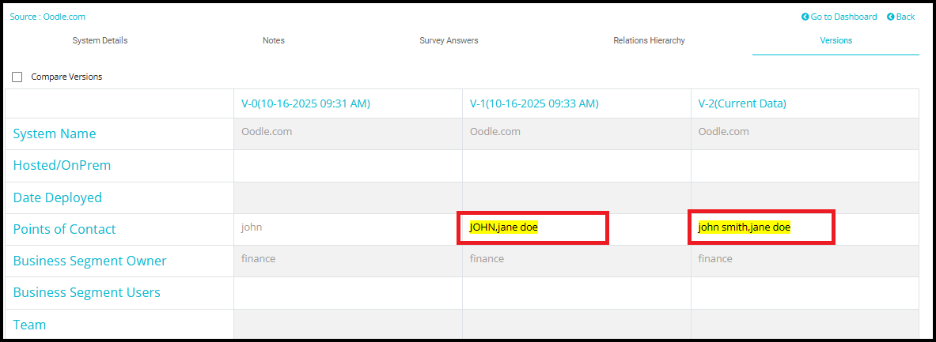
- Each DataMap version is automatically saved with a date and time stamp indicating when the version was created.
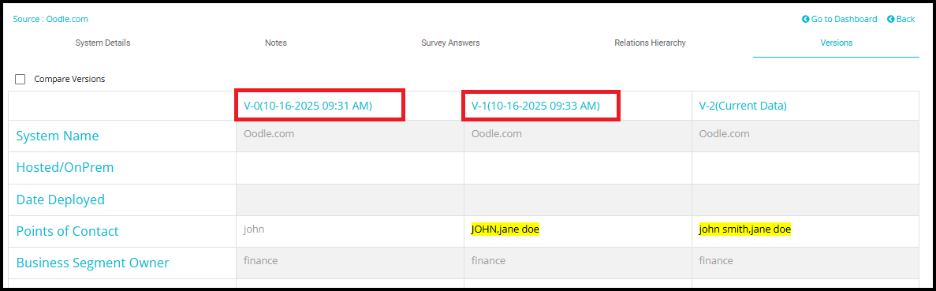
The changes made will be highlighted in their respective fields under the version in which the change was made. This is done to easily track when the different changes were made, or in other words, to track which changes are made with each version.
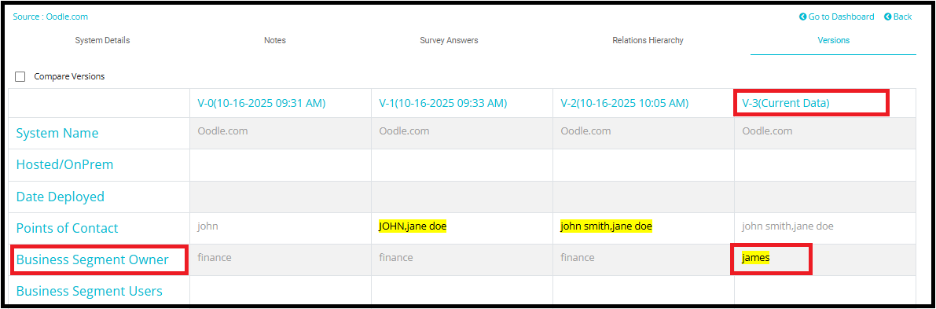
For example, In Version 3, the Point of Contact field was not updated, so it is not highlighted in the version comparison view.
However, a new value --- "James" --- was replaced in the Business Segment Owner field in this version.
As a result, the Business Segment Owner field is highlighted in V-3 to indicate the change.
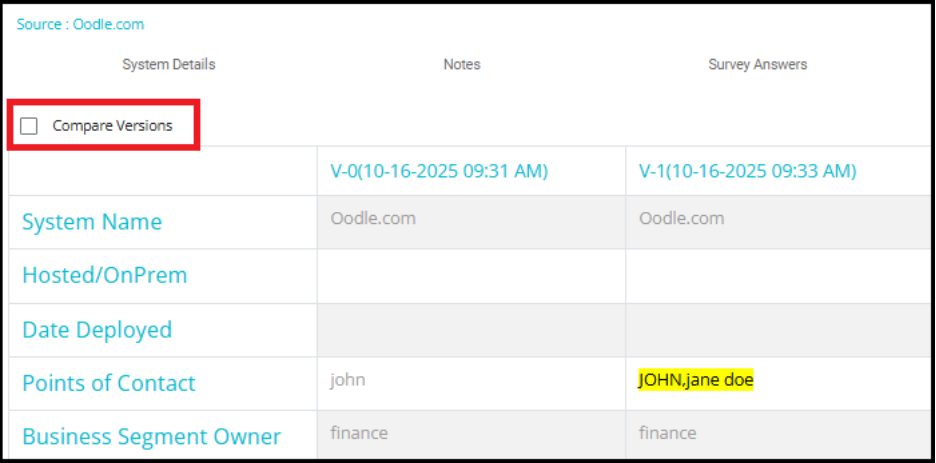
- Click on Compare Versions to place two versions parallelly to compare them.
- From the drop-down menus that appear, select any two versions you want to compare.
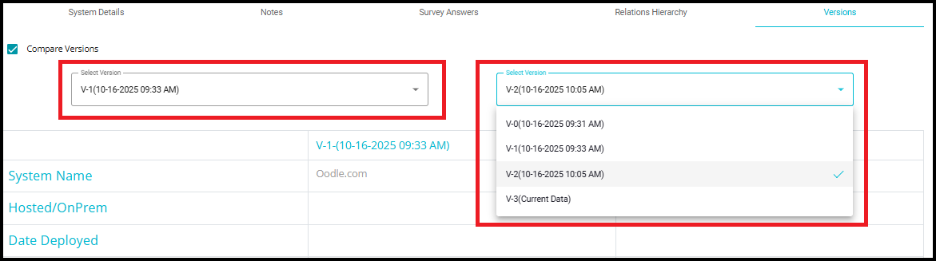
- The selected versions will be displayed side-by-side, allowing you to easily identify and analyze the differences between them.